
10K Soccer: Elite Training
How interactive soccer training works
Point your phone's camera at the goal, kick a real ball, and the app scores it. Here is what a session looks like.
Watch how it works
A one minute look at setting up the phone, kicking a real ball and playing each game mode.
Sound on for the voiceover. No ads, ever. Free to download, with optional in-app purchases.
Set up the phone
Set the phone out from the goal and off to one side, in landscape, with the whole goal in frame. A tripod or phone/tablet stand is recommended for all camera activities. The in-app How To guide shows the exact spot.
Let the app read the goal
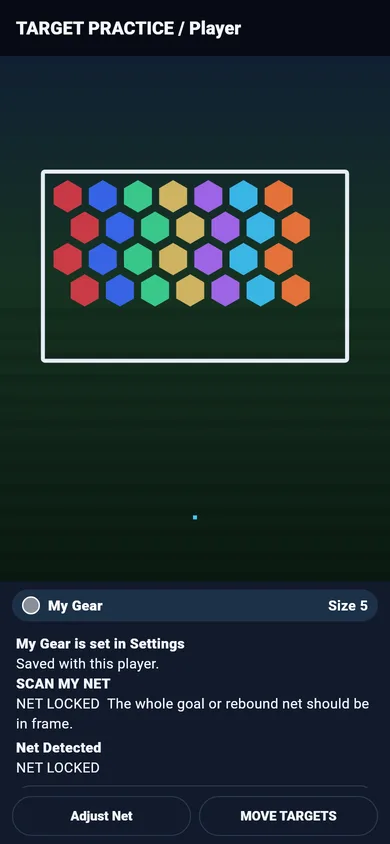
Scan the net. The app reads the goal and locks it, and you are ready to shoot.
Kick a real ball
The camera follows your shots on the net. Camera analysis runs on the phone.
Play and track
Shoot for targets in Target Drills, clear tiles in Net Blast, or play Drop Four. Your shots count toward your totals, streaks and trophies.
What you need
- An Android phone with a camera
- A goal to shoot at
- A real ball
No camera? Keep training
Training modes for logging shots, juggling and foot skills work without the camera. Log right foot, left foot and volleys, juggling sessions and foot skills, and they all count toward 100,000 touches.